Invoice line history clean up
ExFlow | Periodic tasks | Clean up | Invoice line history clean up
Purpose
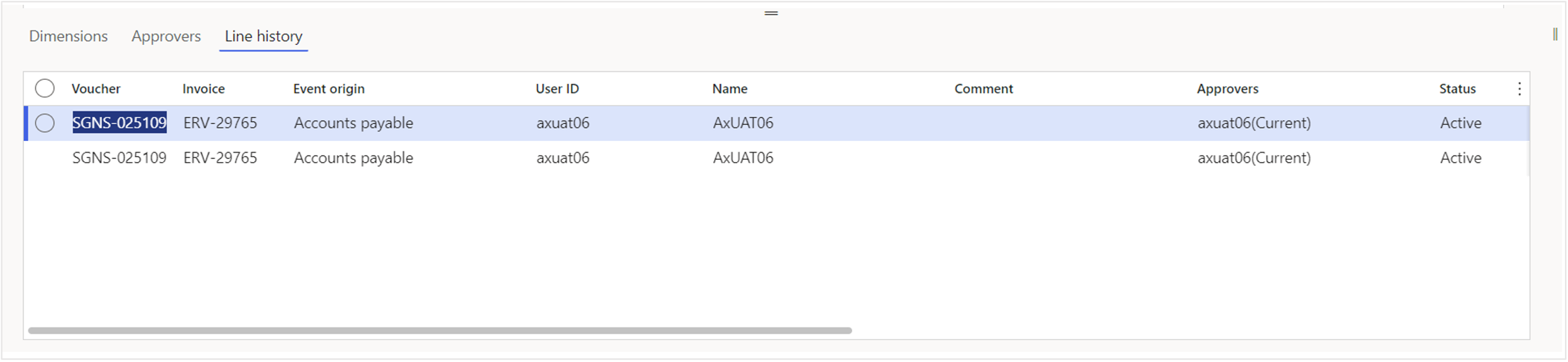
The Invoice History Clean-up Batch is a crucial component of maintaining an efficient and clutter-free invoices. This batch process focuses on removing information from the invoice Line History tab, specifically: Dimensions, Approvers, and Deleted Line History.
Step by step process
Invoice line history clean up
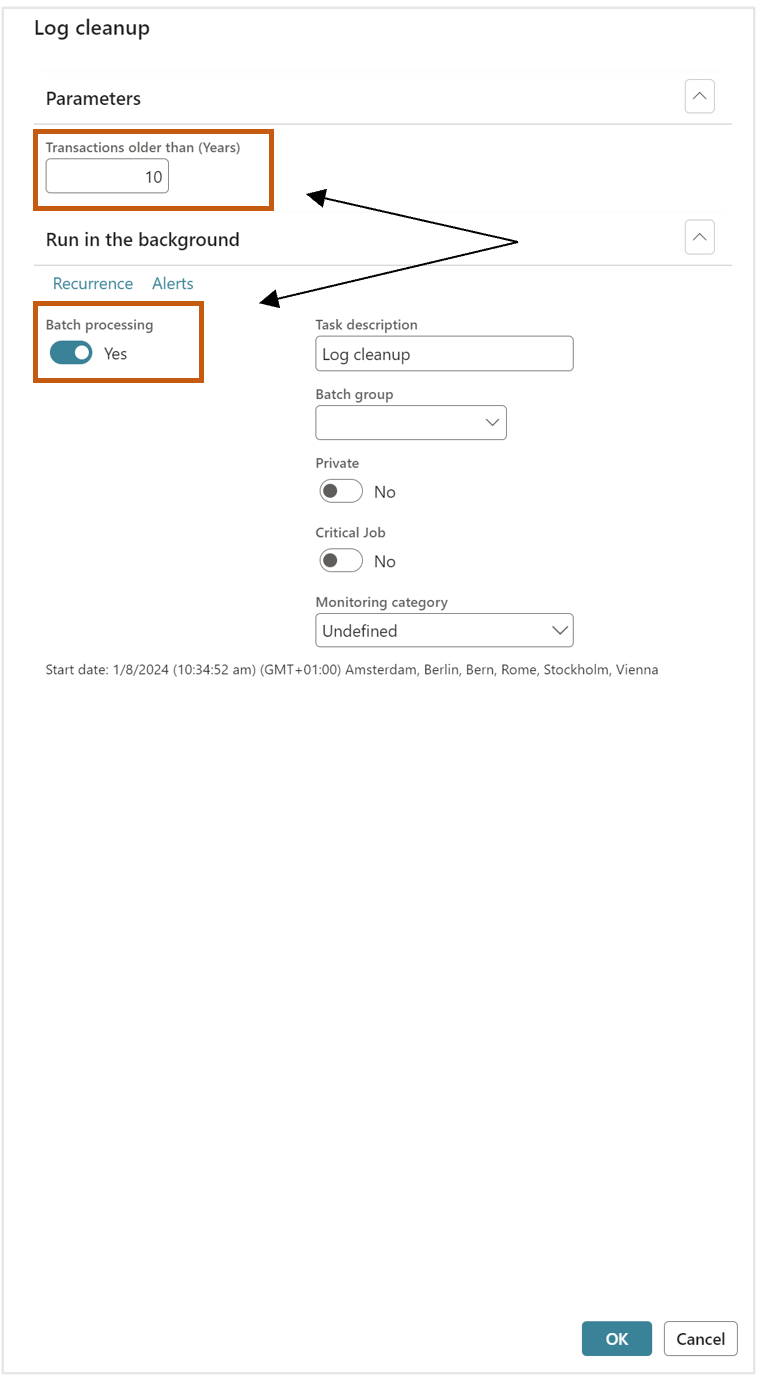
- Go to ExFlow – Periodic tasks – Clean up -Invoice line history clean up.
- Input required number in the Transactions older than (Years).
- Enable batch and run in the batch.
- Select
OK - After batch is ran, data will be deleted
Class
EXF_cInvoiceLineHistoryLogCleanup
Affected tables
- EXF_tDocumentLineApproverLog
- EXF_tDocumentLineDimensionLogHead
- EXF_tDeletedLinesInvoiceHistory
Functional explanation
The job removes invoice-line approval, dimension, and deleted-line history that is older than the selected number of years. Recent history remains available while older history is cleaned up.
Important note The default shown is 10 years, and the same cutoff is applied across all three history areas.
| Name | Class | Affected Table |
|---|---|---|
| ExFlow AP - Log cleanup | EXF_cLogCleanup | EXF_tLoggingWeb EXF_tDocumentLineApproverLog EXF_tDocumentLineDimensionLogHead EXF_tDeletedLinesInvoiceHistory |
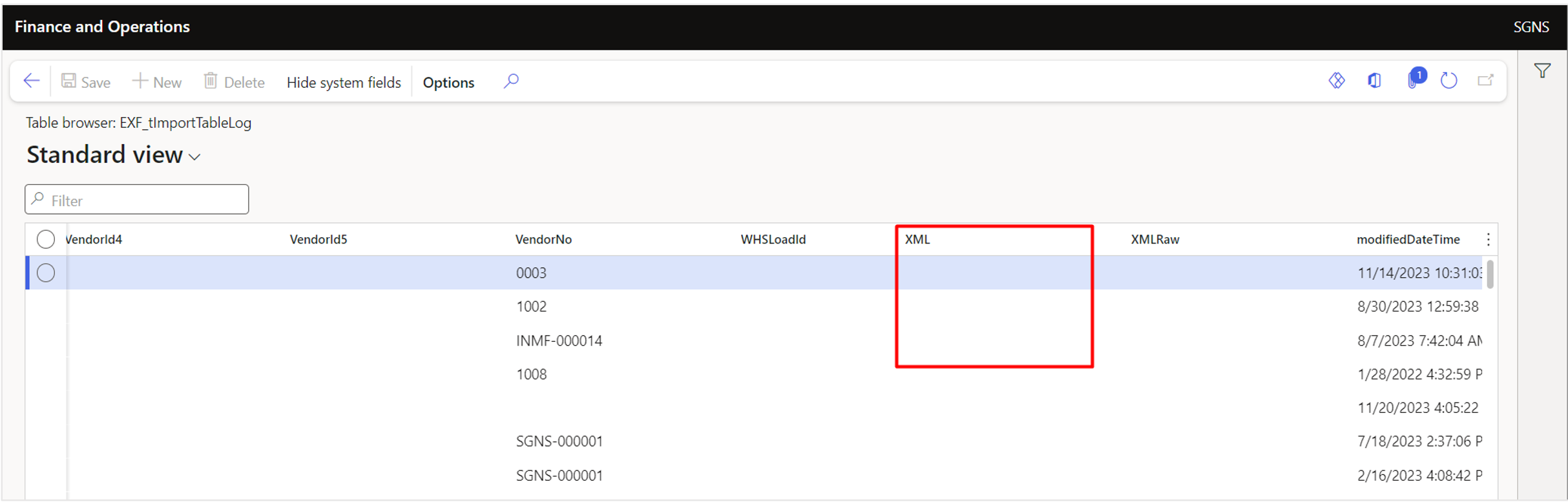
| ExFlow AP - Import history data cleanup | EXF_cImportTableLogCleanUp | EXF_tImportTableLog (Only the contents of the XML / XMLRaw fields are cleaned for old records) |
| ExFlow AP - Web log cleanup | EXF_cWebLogCleanup | EXF_tLoggingWeb |
| ExFlow AP - Invoice line history cleanup | EXF_cInvoiceLineHistoryLogCleanup | EXF_tDocumentLineApproverLog EXF_tDocumentLineDimensionLogHead EXF_tDeletedLinesInvoiceHistory |
| ExFlow AP - Delete temporary journals separately | EXF_cNoPostingAtArrivalDeleteTempJournals | LedgerJournalTable (Related journal transaction data is deleted indirectly through the standard LedgerJournalDeleteTransaction process) |
| ExFlow AP - Clean up duplicate attachments | EXF_cDocuRefCleanup | DocuRef |