Split posting based on journal name
Purpose
For invoices to be posted in different journals with different number sequences.
For example to Belgium and Italian entities some requires invoices to be posted in different journals with
different number sequences, based on for example the tax registration number, PO/non-PO, vendor
group, linked to agreements.
Setup
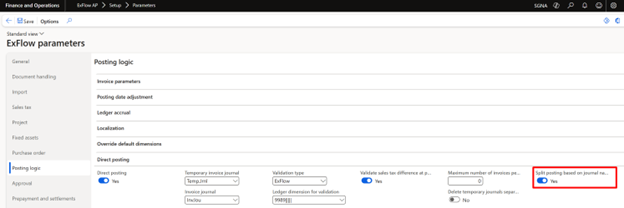
ExFlow AP | Setup | Parameters | Posting logic tab | Direct posting
1. Enable "Split posting based on journal name"
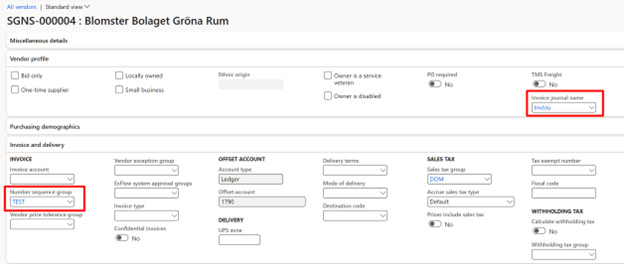
When enabled, parameter activates fields in Vendor card where the Invoice journal name and Number sequence group can be selected and added automatically for all invoices of that vendor.
2. Blank out the Italian sales tax book
For Italian legal entities.
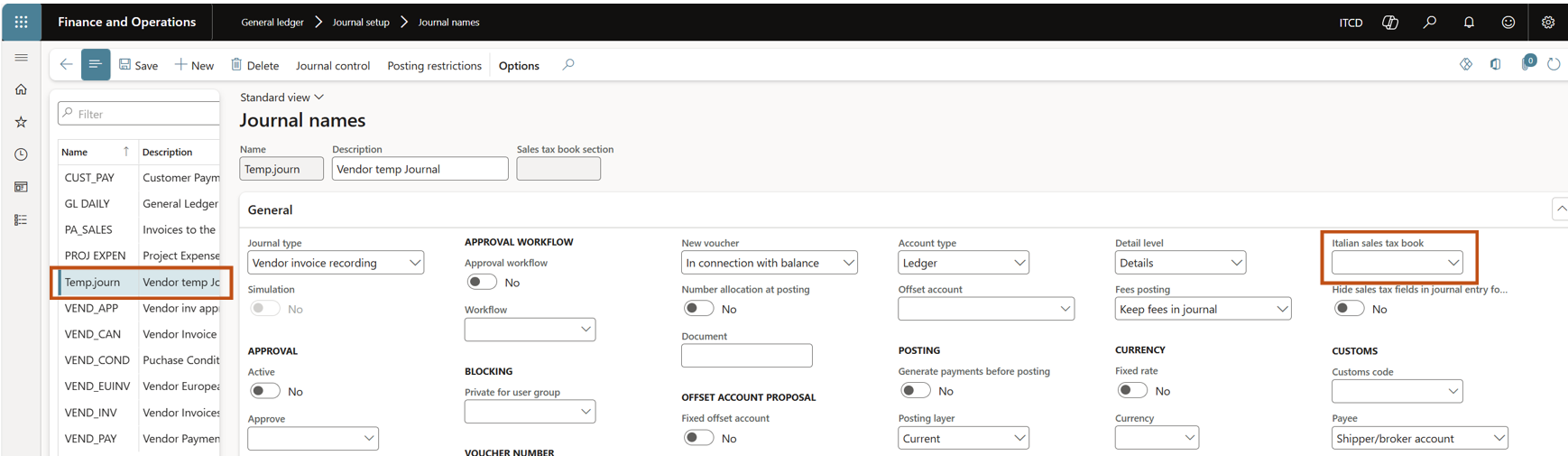
Make sure that the Italian sales tax book field is empty on the temporary journal setup for AP automation.
- Navigate to General ledger -> Journal setup -> Journal names.
- Make sure that the Italian sales tax book field is empty.
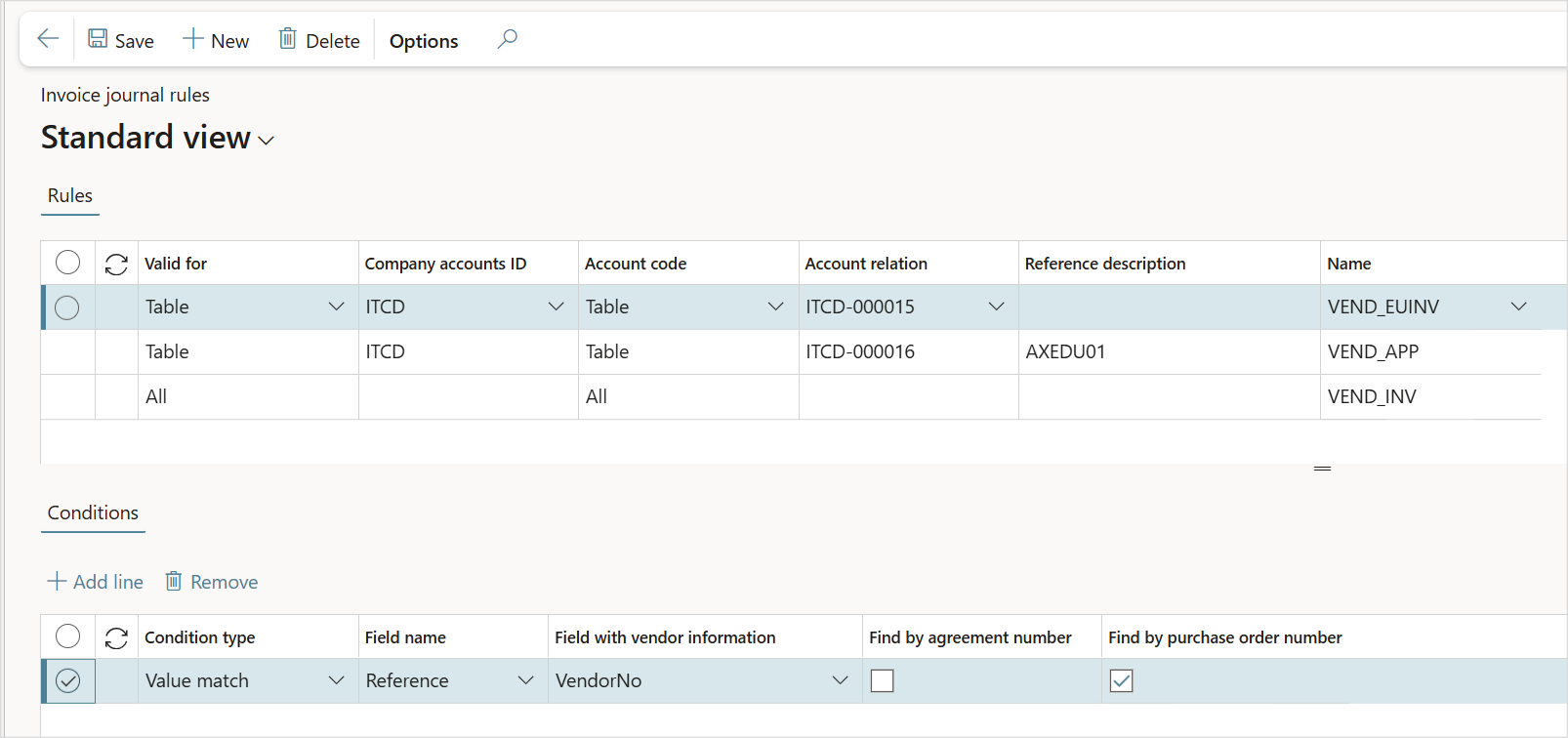
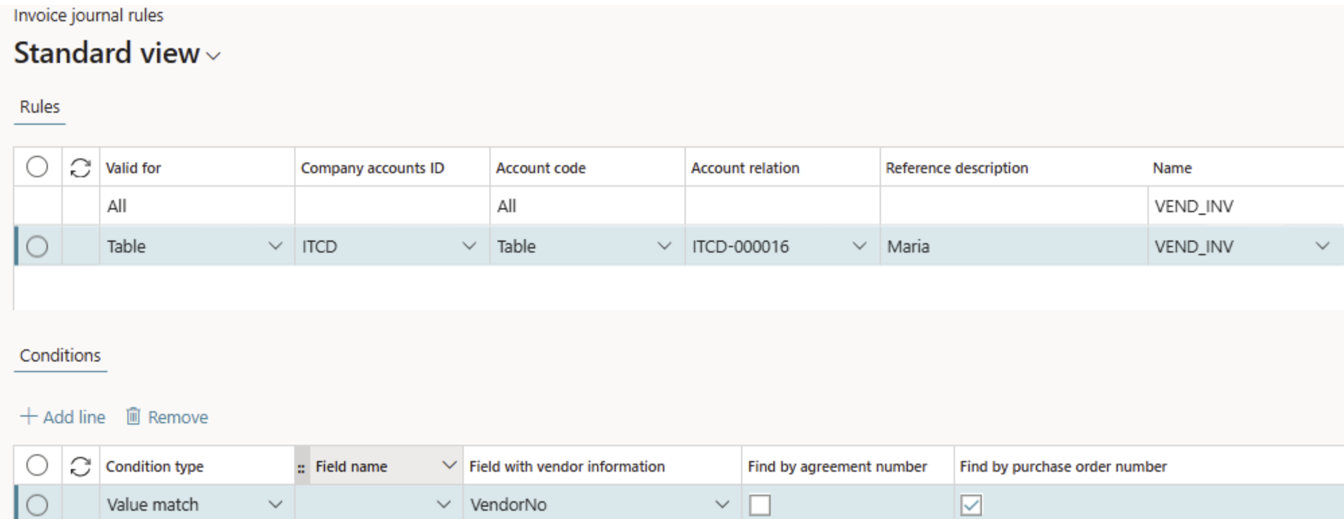
3. Setup "Invoice journal rules"
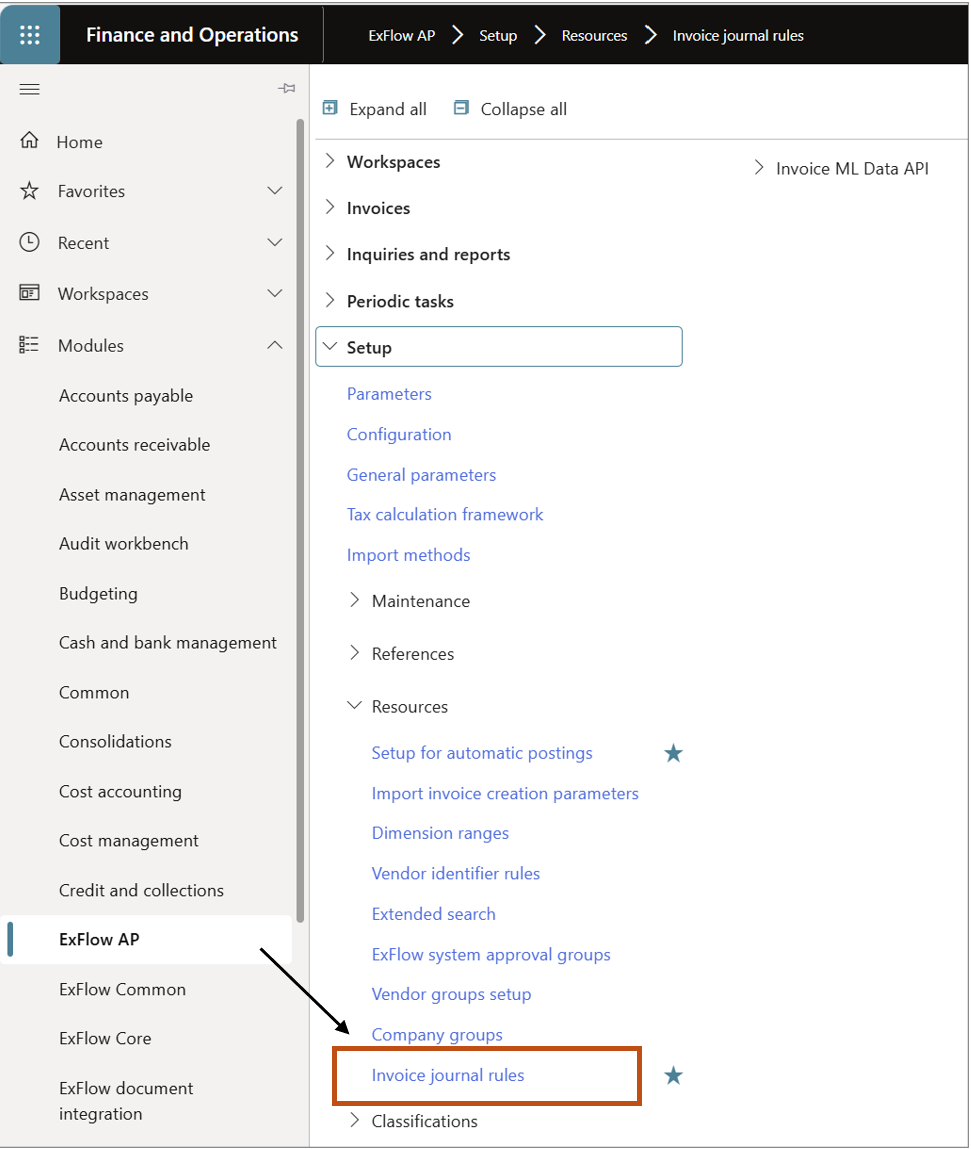
Navigate to the new Form "Invoice journal rules" located under ExFlow AP | Setup | Resources.
These rules are a global setup and can be used to apply the correct invoice journal based on certain conditions, such as a specific vendor, vendor group, or all
If the “Split posting based on journal name” parameter is switched on the appropriate journal needs to be manually set or fetched from the new table "Invoice Journal rules".
Examples provided, see under the section for examples.
| Invoice journal rules | |
|---|---|
| Rules Valid for | Select Table for specific legal entity or All |
| Company accounts ID | The field “Valid for” must be set to “Table” and in the field “Company account” to specify the specific Legal entity. |
| Account code | Select Table, Group or All |
| Account relation | Vendor: the field “Account code” must be set to “Table”, and in the field “Account relation” you must specify the specific vendor. Vendor group: the field “Account code” must be set to “Group” and in the field “Account relation” you must specify the vendor group. All vendors: the field “Account code” must be set to “All”. |
| Reference description | Specified if under Conditions, “Field name” is selected as “Reference”. |
| Name | To specify the Invoice journal to be used for the specific rule. Drop down list connected to the std D365 form for Journal names. |
| Conditions Condition type | Value match - used to specify a rule based on a value for a custom property that is imported. Select the property in the column “Field name”. |
| Field name | Filled from import history form - Message; Message ID; Misc. field 7-10; Reference; Vendor code; External vendor ID; Import method. |
| Field with vendor information | From import history form - VendNo; VendorId; VendorId2; VendorId3; VendorId4; VendorId5. |
| Find by agreement number | Tickbox; Only use the rule if agreement number is filled in import history form. |
| Find by purchase order number | Tickbox; Only use rule if Purchase order number is filled in import history form. |
If an Invoice journal name is set in the master data (Vendor card) it overrules the invoice journal rules. If you try to create a rule with specific vendor that has Invoice journal name set, the error message appears:
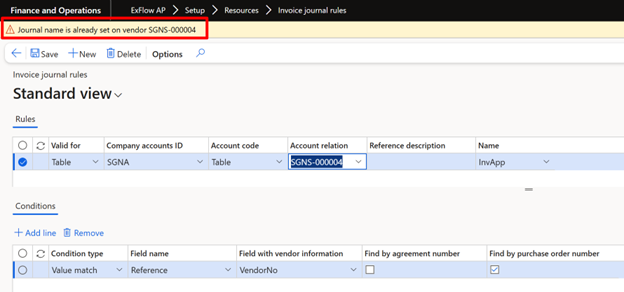
If vendor does not have Invoice journal name added on its vendor card and rule is created in Invoice journal rules for that specific vendor, error also will appear when trying to add Invoice journal name on vendor card.
Description of the Cost invoice process
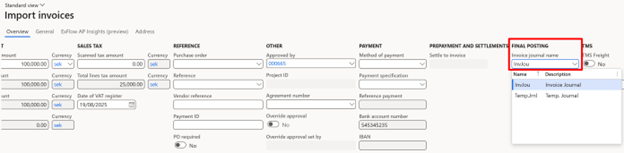
Parameter "Split posting based on journal name” will activate the fields to manually select (or change when retrieved from vendor card) which journal to use for each cost invoice in the Invoice journal name field in import, document and post control form.
During importing an ExFlow invoice into the Import form, we need to fetch the invoice journal first from vendor card, if blank fetch from the Invoice journal rules and validate the rule.
Please note! An more automated solution can be achieved, see under section for examples.
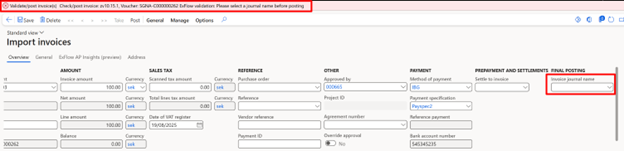
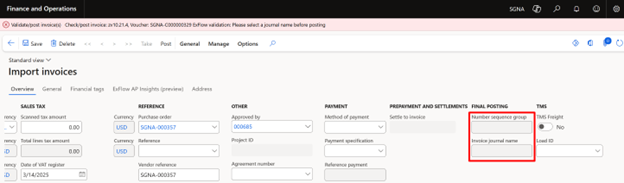
If the Invoice journal name is missing when the rules are set up the error message will be thrown when validating or posting invoice.
Description of the Purchase order invoice process
A generic invoice journal needs to be assigned to all invoices connected to a purchase order when posting in ExFlow. NOTE: The invoice journal is set on the vendor card.
The correct number sequence is provided from the purchase order. A default number sequence is possible to add in the Vendor master data that will be inherited from the purchase order. If discovered that the number sequence is incorrect in document form, it needs to be changed from the PO, (fields in import/document forms are not editable).
Please note! An more automated solution can be achieved, see under section for examples.
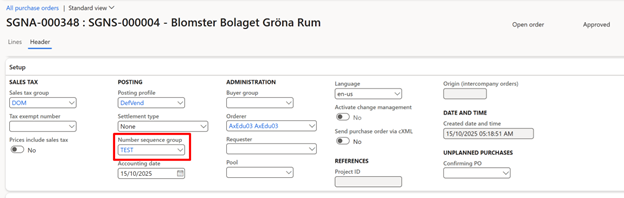
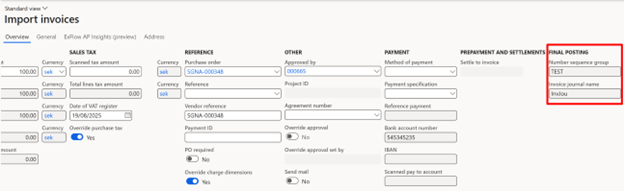
Same as for cost invoice, if journal name is not set, error will appear when trying to validate/post PO invoice.
Examples of setup for automatic AP process
To get an more automated solution can be achieved by setup following, see examples below.
1.
Vendor card -> Journal nb.= Blank
Purchase order -> Number seq. = YES added
Temp.journal -> IT tax books = Blank (if italian LE)
Invoice Journal Rules = Yes setup
Cost invoices - Can be posted without any errors, journal names is fetched from the Invoice journal rules.
Purchase order inv.- Can be posted without any errors, journal names is fetched from the Invoice journal rules.
Number seq. group. and journal name visible in import form.
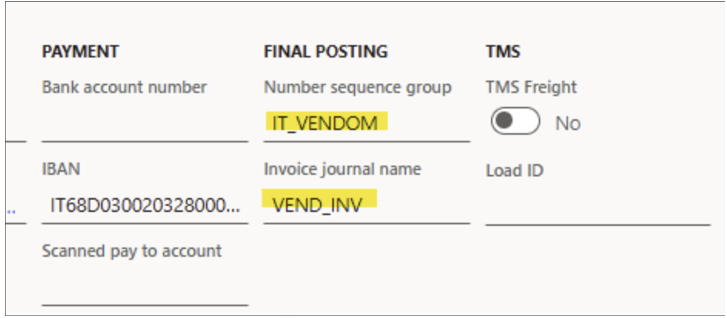
2.
Vendor card -> Journal nb.= Yes
Purchase order -> Number seq.= Blank
Temp.journal -> IT tax books = Blank (if italian LE)
Invoice Journal Rules = Blank
Cost invoices - Can be posted without any errors.
Purchase order inv.- Can be posted without any errors.
Validation rules
Cost invoices
- From Vendor card
- Rules set
PO invoices
- From Vendor card
- Rules set
Effected roles
- Purchase payable admin role
Entities
New entities are created for the functionality.