Vendor identifier rules
ExFlow | Setup | Resources | Vendor identifier rules
Vendor identifier rules in ExFlow is mainly used if you are not using Vendor upload for ExFlow Data Capture or if you are using another OCR tool to capture your invoice data. Then you may use the captured data on the invoice to map the invoice to the correct vendor in D365FO.
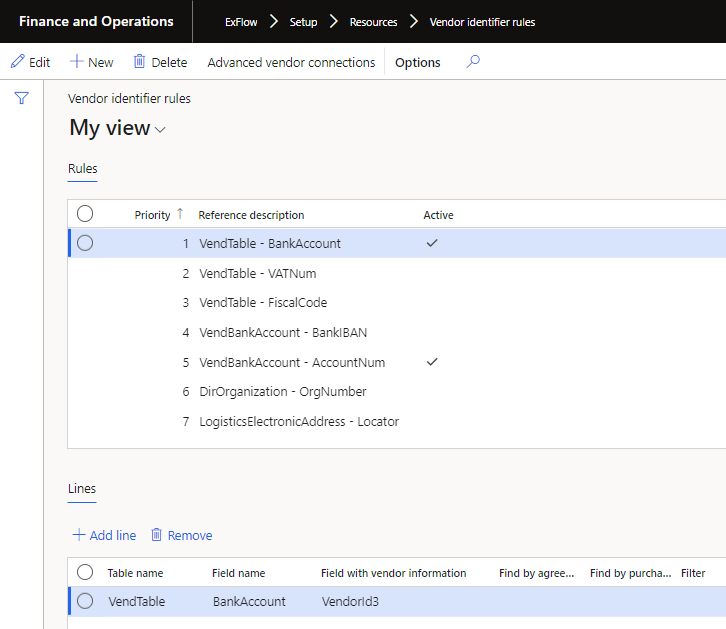
If the Vendor Identification Rules are enabled the vendors could based on the default rules be identified by:
- OrgNum
- VAT number
- FiscalCode
- BankIBAN
- AccountNum
- Bank account
- Locator
There must be an exact match for ExFlow to find the vendor. It is enough to capture one of these fields. VAT number has highest priority. The rules will walk through the Priority and if the first rule gives a unique vendor the logic will stop. Otherwise ExFlow will look into the next rule.
As default you will get seven most common rules already pre-defined in Exflow. You may change the priority of those rules or add/remove/change the rules if required.
More detailed information is found in the white paper "Vendor identifier rules in ExFlow".
Using SIRET and SIREN number for vendor identification
For companies based in France you may use SIREN or SIRET number for Vendor identification.
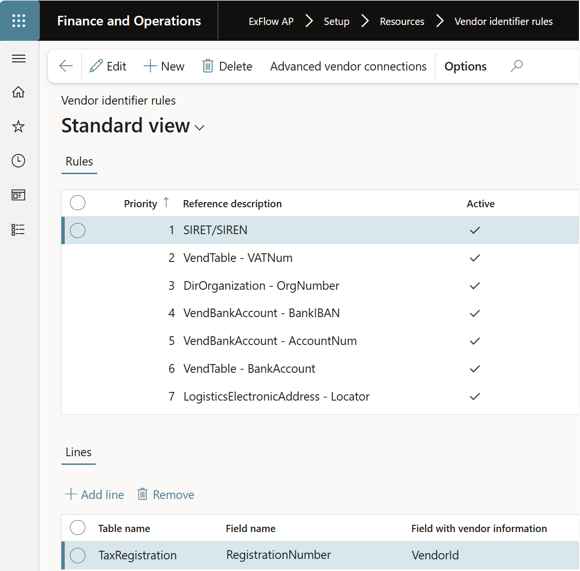
To be able to match the vendor against SIREN or SIRET set up below.
- Select New.
- Add the reference description as desired and set the priority for ex. 10 and "Save".
- After "Save", fix the priority manually so the SIRET and SIREN line is priority 1.
- For lines; Select "Add line"
- Use tha drop down list and select Table name: Tax registration, Field name: RegistrationNumber
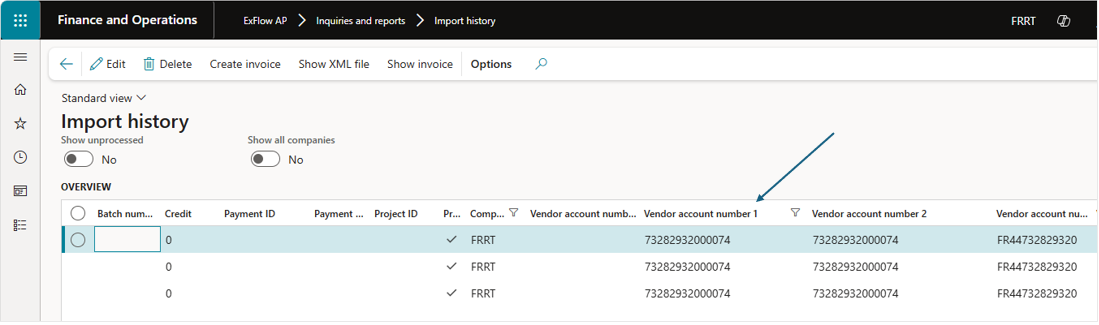
- For Field with vendor information; Use the VendorID field number (1-5) that the SIRET or SIREN number are shown in the Import history report.
To navigate to Import history report
ExFlow AP -> Inquiries ans reports -> Import history