ExFlow Prepayment for Purchase orders
Purpose
Prepayment in ExFlow has been introduced to facilitate the process of paying the original invoice before it is approved.
In many cases, suppliers request you to pay their actual invoices in advance even before they get your goods shipped.
Those suppliers will not release the goods for delivery until they receive a payment, at a time you do not want to approve those invoices before you receive the ordered goods.
ExFlow has functions to pay those invoices before they are approved and finally posted.
Functionality includes marking relevant invoices for prepayment in both import form and document form, and handle the following process including cash discount, currency revaluations and payments.
Setup
Relevant setup described in Parameters for
Prepayment: https://docs.signupsoftware.com/finance-operations/docs/user-manual/get-started/parameters#prepayment-and-settlements
Purchase order: https://docs.signupsoftware.com/finance-operations/docs/user-manual/get-started/parameters#purchase-order
For Cost invoices: https://support.signupsoftware.com/knowledgebase KA-01116
Import form
Imported PO invoice can be set as Prepayed with the ”Prepaid invoice” button.

Document form
When invoice is posted from import form, in document form it will be marked as Prepaid.

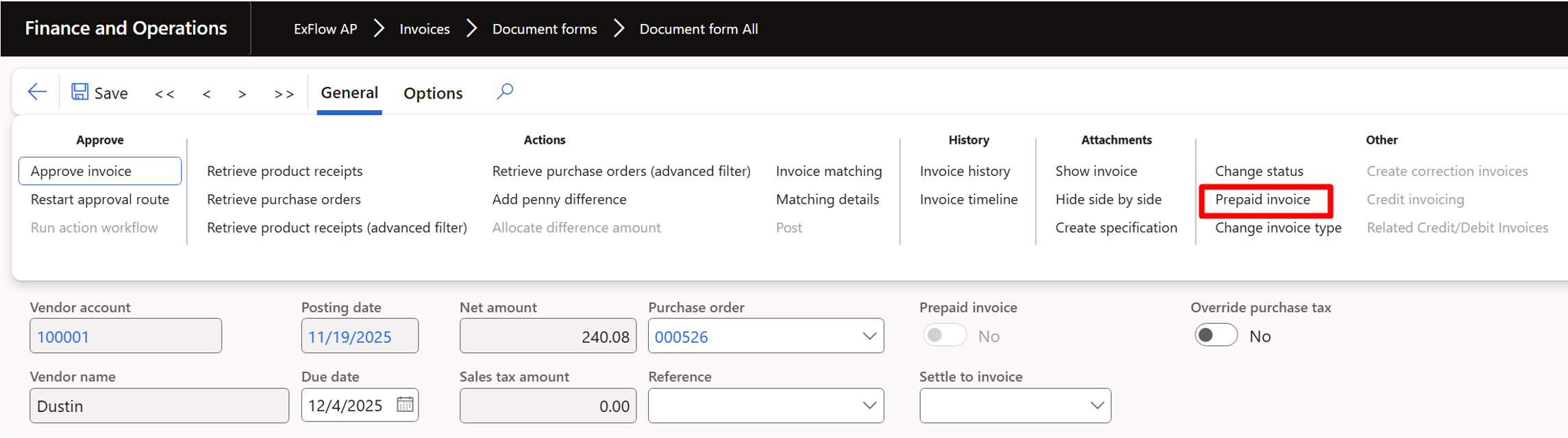
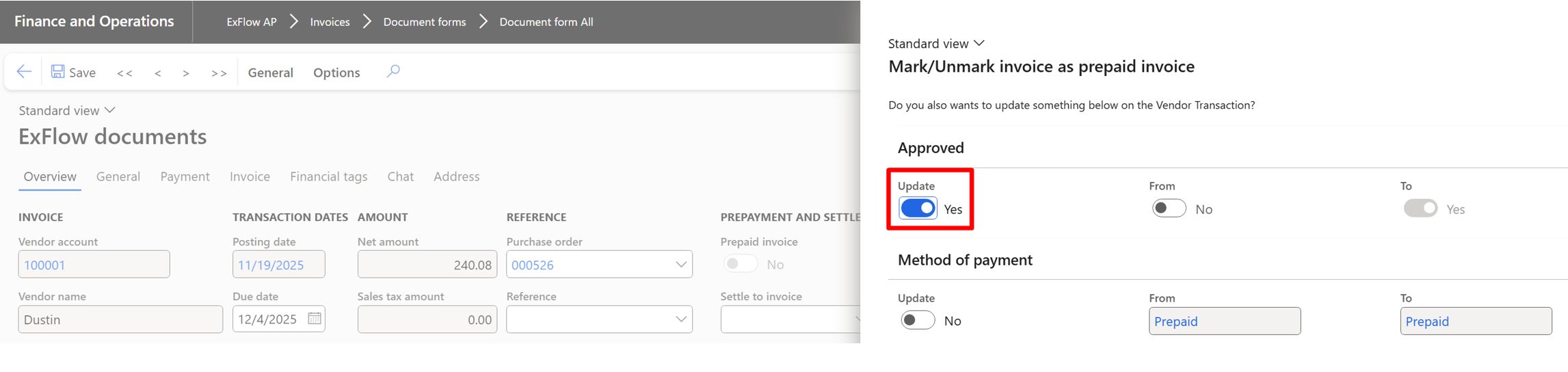
If Prepaid invoice was not set in import form it is possible to set it in Document form through General > Other > Prepaid invoice.
Mark Update to Yes (in the same way it is possible to update invoice to not Prepaid if it was set in import form).
Vendor payment posting
When invoice is in document form create Vendor payment journal and settle transaction.

In Document form Invoice is marked as settled.

Perform Approval and Final posting of the invoice and check Vendor transactions postings.
