MS Globalization – Uruguay
Purpose
Support the ISV solution for Uruguay localization (LATAM)
Setup
A required setup is added in: Accounts payable > Setup > LATAM > Vendors set.
More information about the setup could be found in: (https://learn.microsoft.com/en-us/dynamics365/finance/localizations/iberoamerica/uruguay)
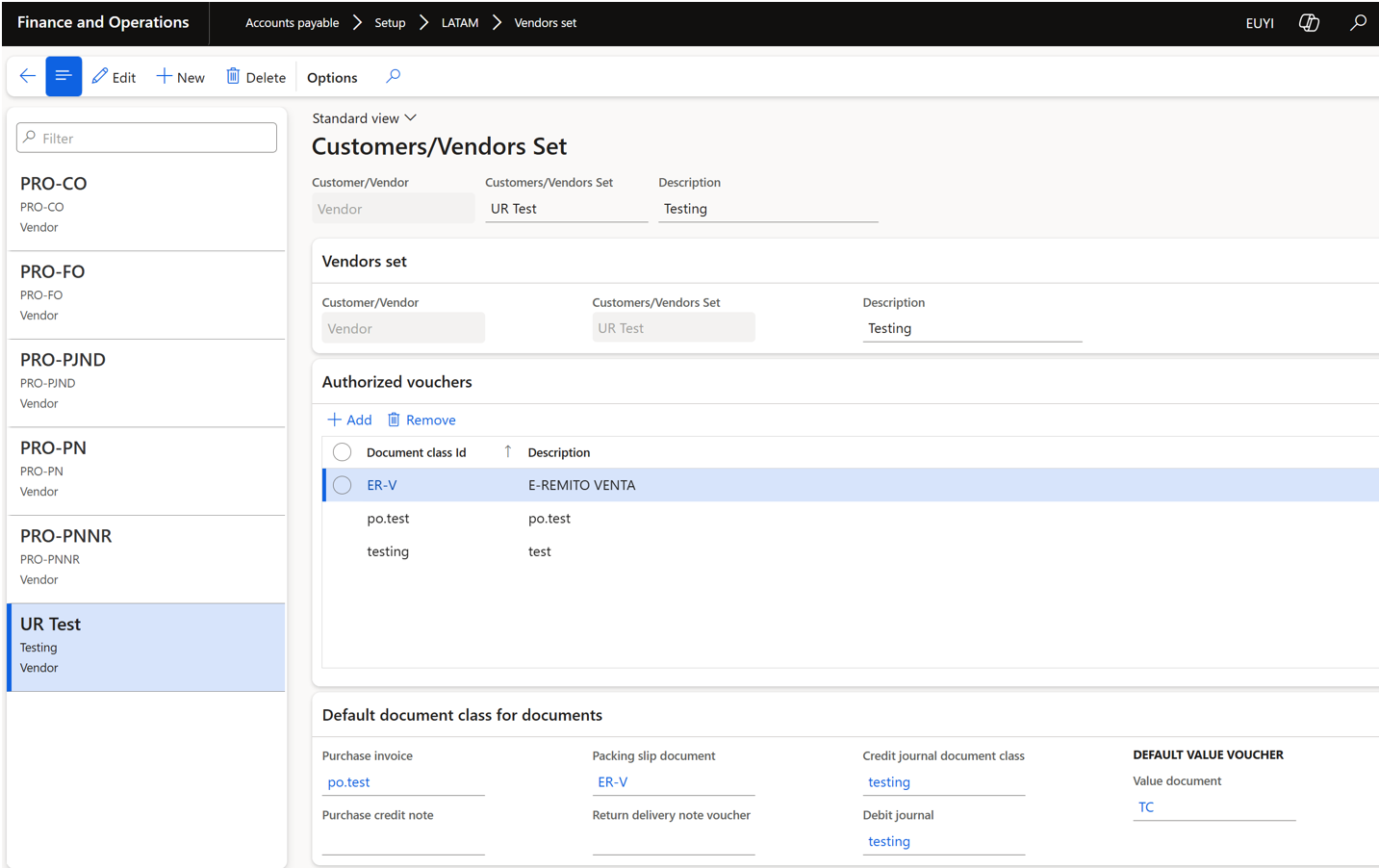
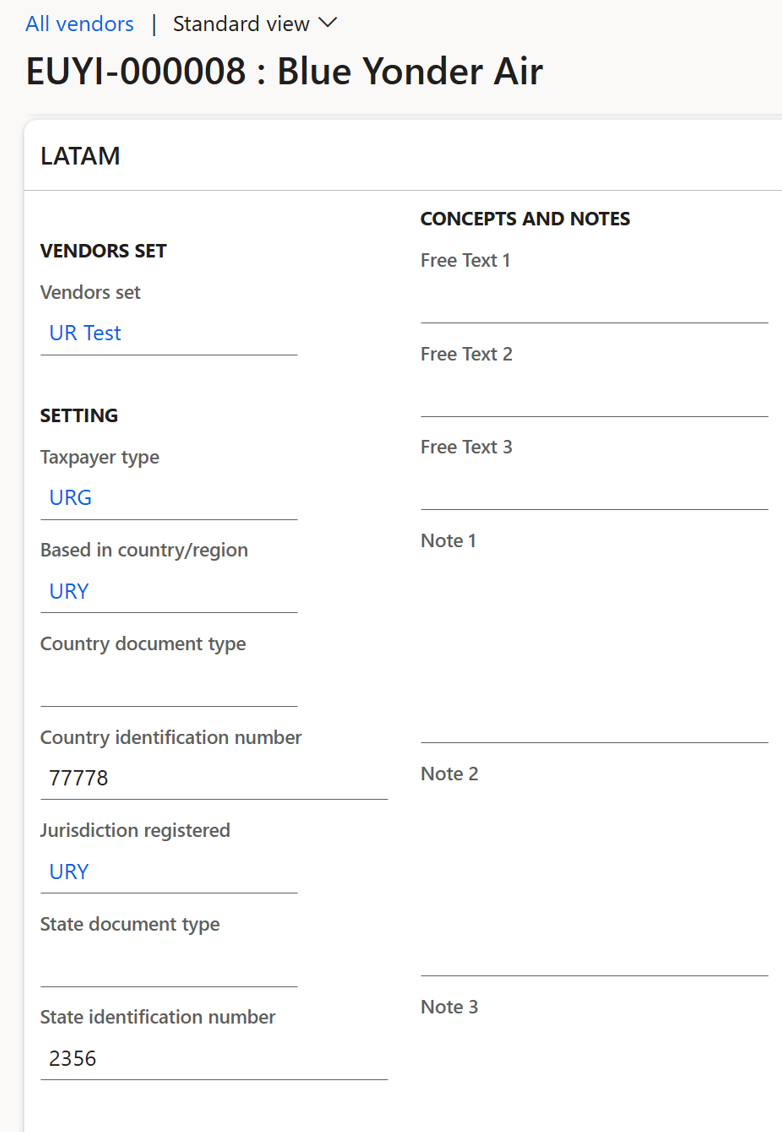
When required setup is done it can be added to specific vendor.
Vendor card;
ExFlow process
Import form
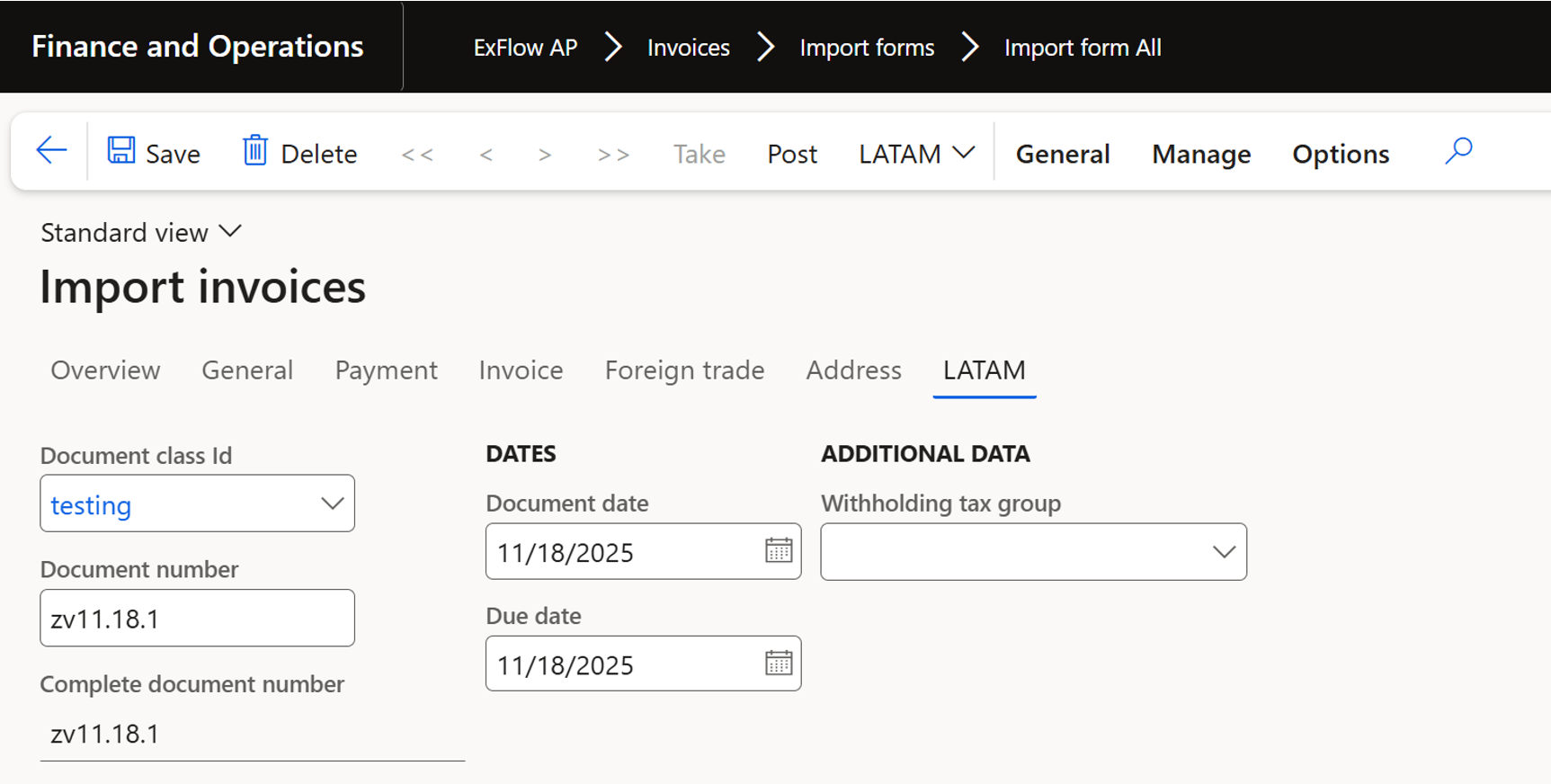
LATAM localization fields added to the ExFlow import form.
The custom fields: Document class id, Document number, Complete document number, Document date, Due date and Withholding tax group - are visible and auto populated based on the field “document class id” set on the vendor but only some of them editable in ExFlow import form.
During the initial import, the Document number should be based on the Invoice number from Import history.
Document form
When an invoice is posted for invoice registration from ExFlow Import form the fields used in the invoice registered process will be filled.
Support for posting invoices via the ExFlow batch job “Post invoice register invoices” is also added.
Fields are not editable in Document form in invoice register process.
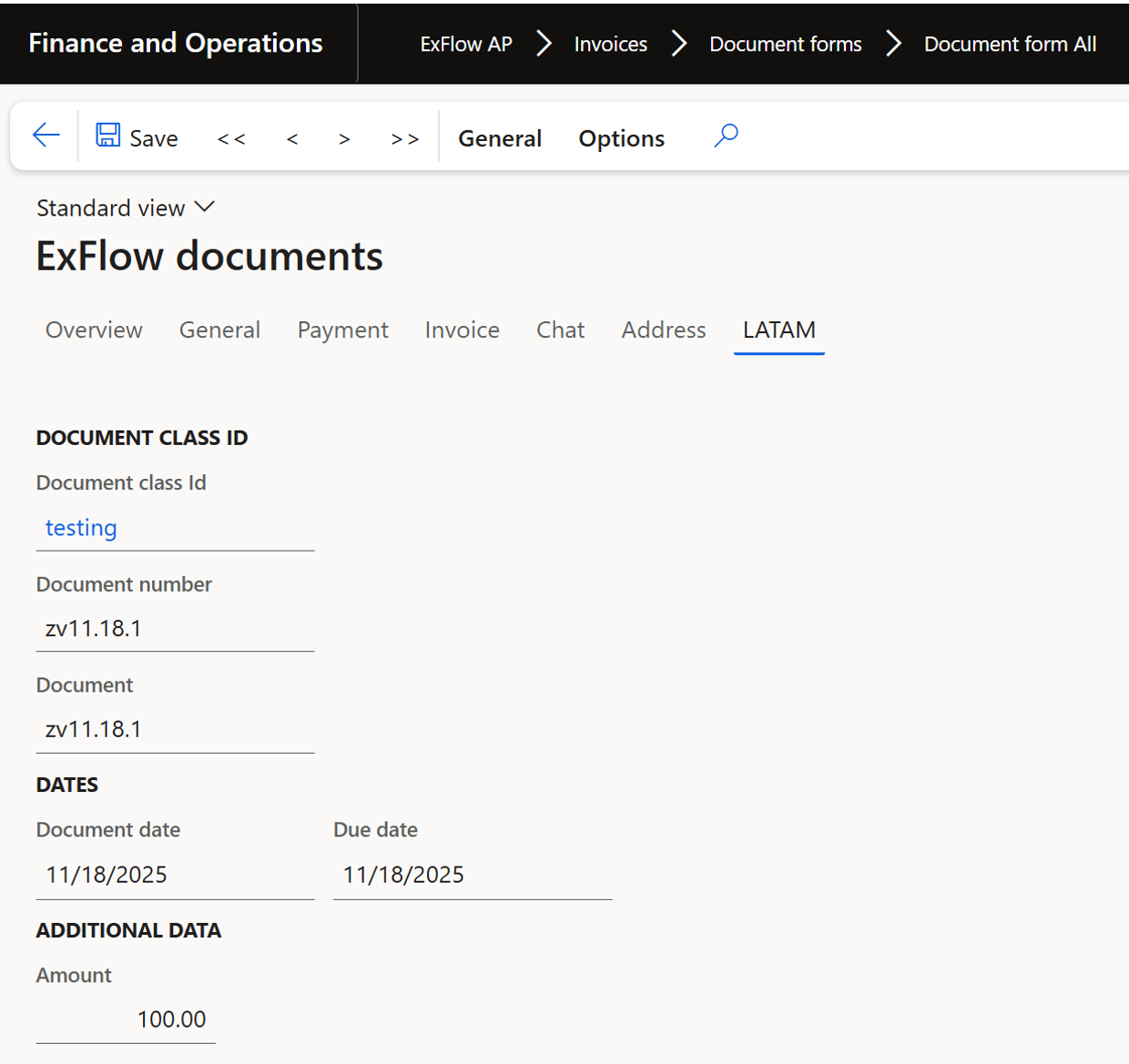
Approval journal
In the standard process when an invoice is fetched in the Invoice approval journal the fields that was filled in ExFlow import form will follow through to the approval journal posting process.
Posting via ExFlow batch jobs are also supported for both cost and purchase order invoices.
In Approval journal LATAM fields are visible and not editable in Approval journal > Voucher
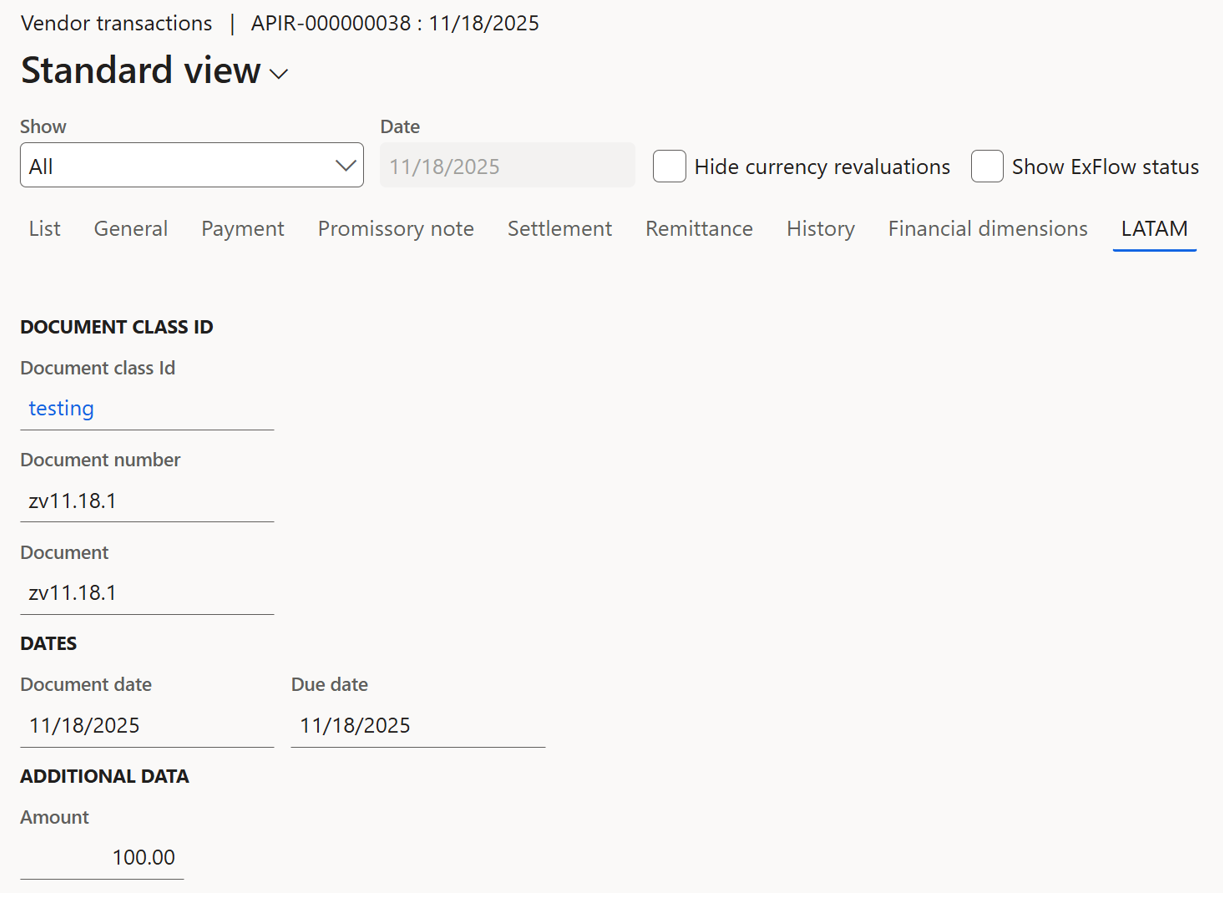
Purchase order invoices
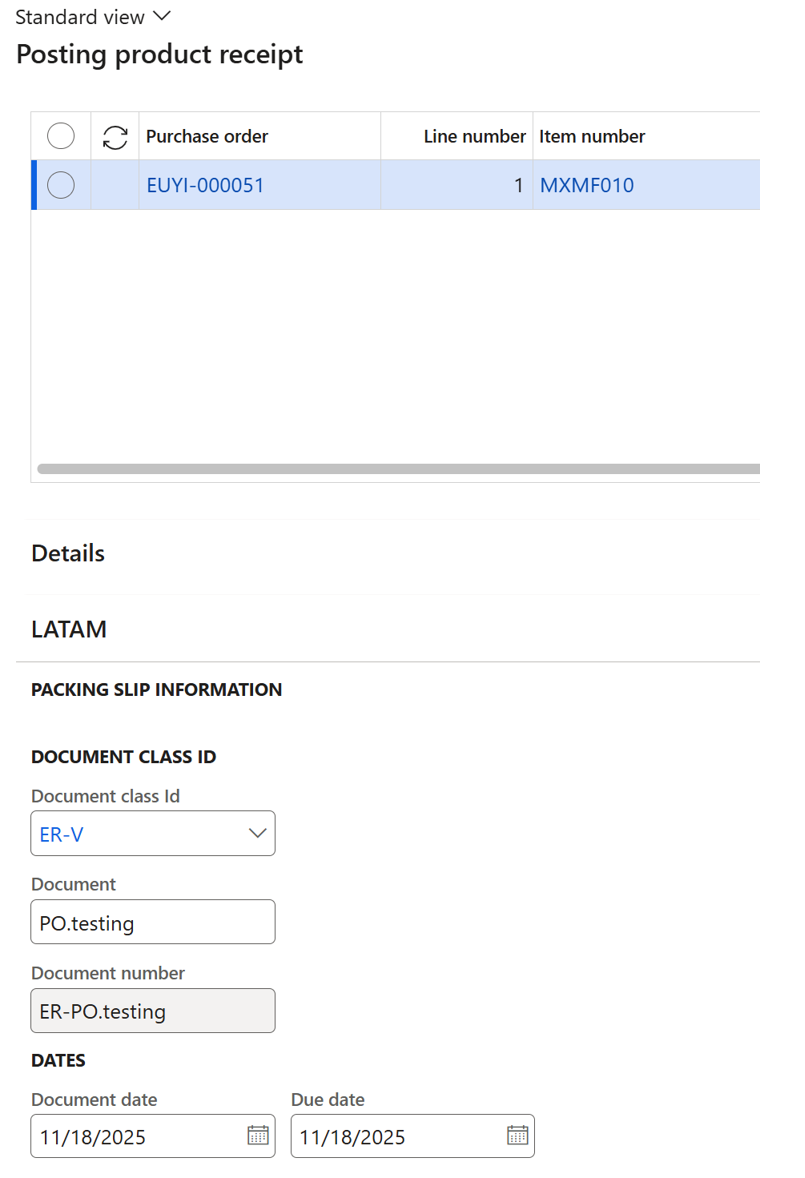
For PO invoices LATAM fields are filled in Posting product receipt inserting desired Document ending up as Document number that later will be set during final posting and won’t be visible in ExFlow forms.
Product receipt posting:
Final posting of PO invoice:

Direct posting process
Setup and process for Direct posting is the same as for invoice register except that in Document form LATAM fields will be editable:
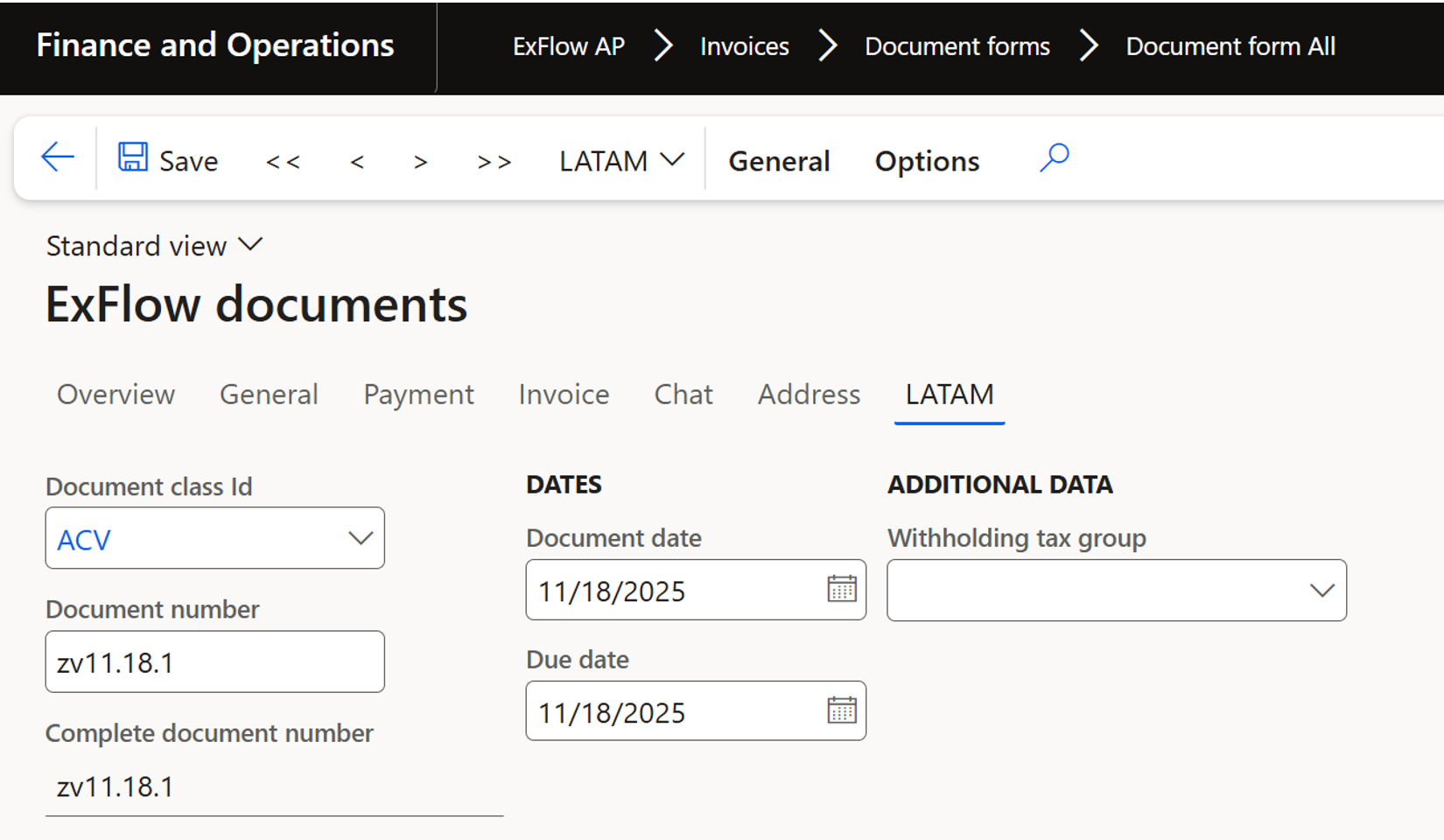
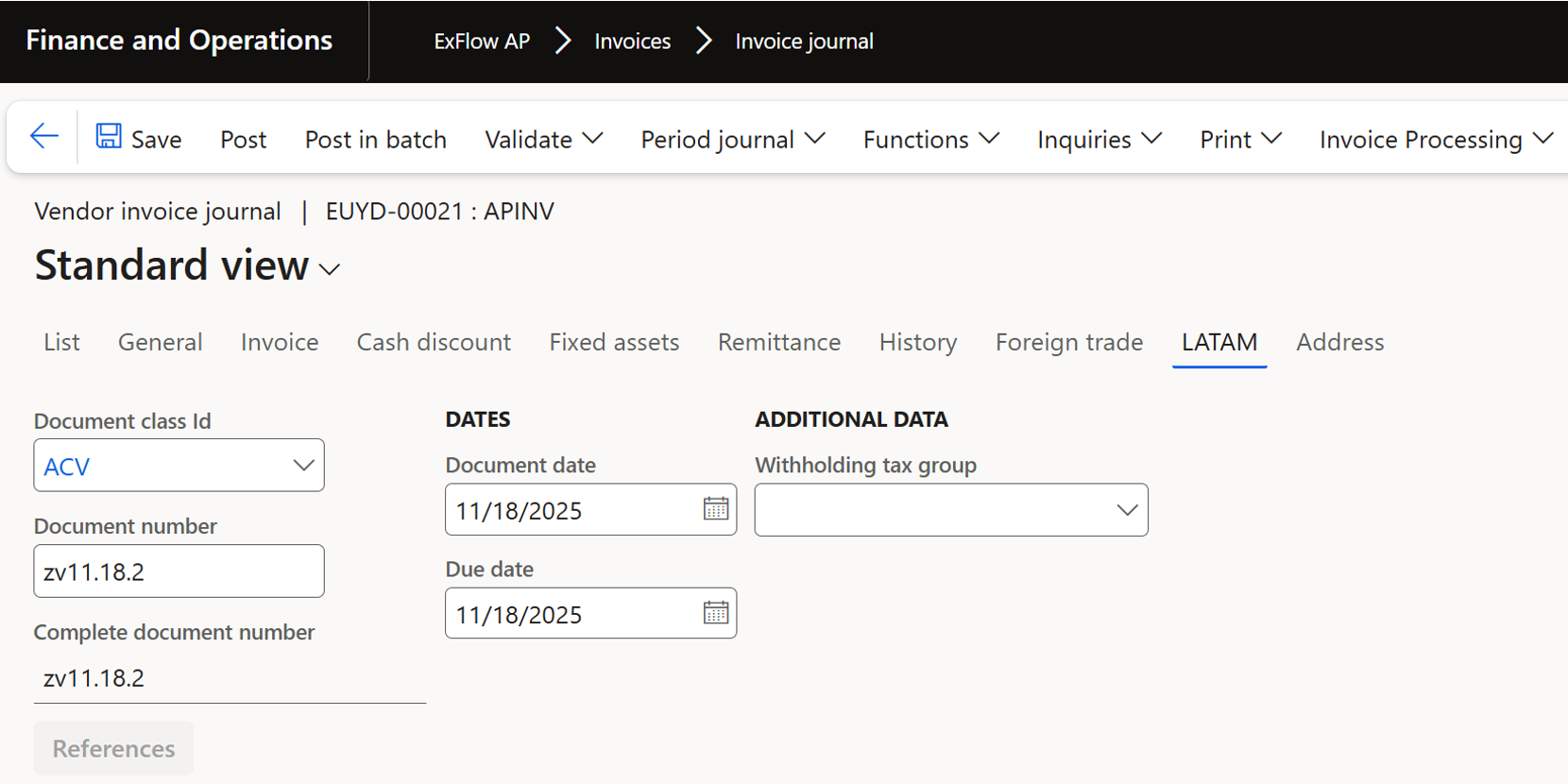
In Invoice journal fields are also editable before posting: